Markdown & code reader · macOS & Windows · Universal binary · v1.0
Every file you read all day, rendered like it matters.
MDSyntax opens Markdown, source code, HTML, SVG and exported AI transcripts in one native window — then turns any of them into a client-ready PDF, Word file or formatted paste. Nothing is uploaded. Nothing is tracked.
Free to read & edit · Pro is a one-time $29
What it's for
Three jobs, done properly, in one window.
01 — Read
A reading surface, not a text box.
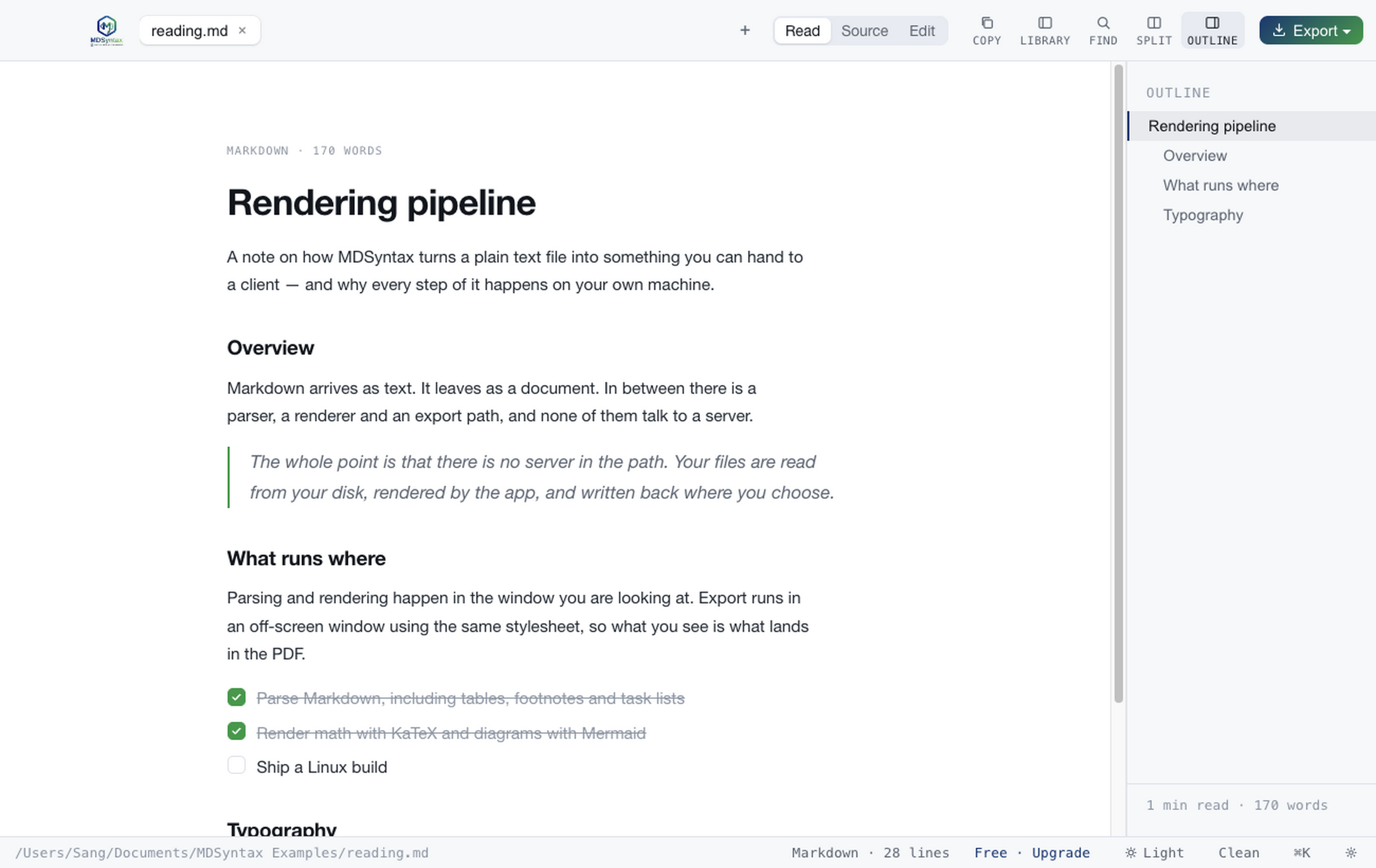
Two presentations of the same document: Clean for scanning, Editorial for reading — a paper card on a desk, Georgia body copy, section headings that become quiet uppercase eyebrows. Seven themes, three text sizes, a live outline that tracks where you are.
- Light, Dark, Sepia, High contrast, Solarized ×2, Nord
- Tabs with per-tab view memory and drag reorder
- Split compare against any other open file
02 — Edit
A real editor, and a Save that means something.
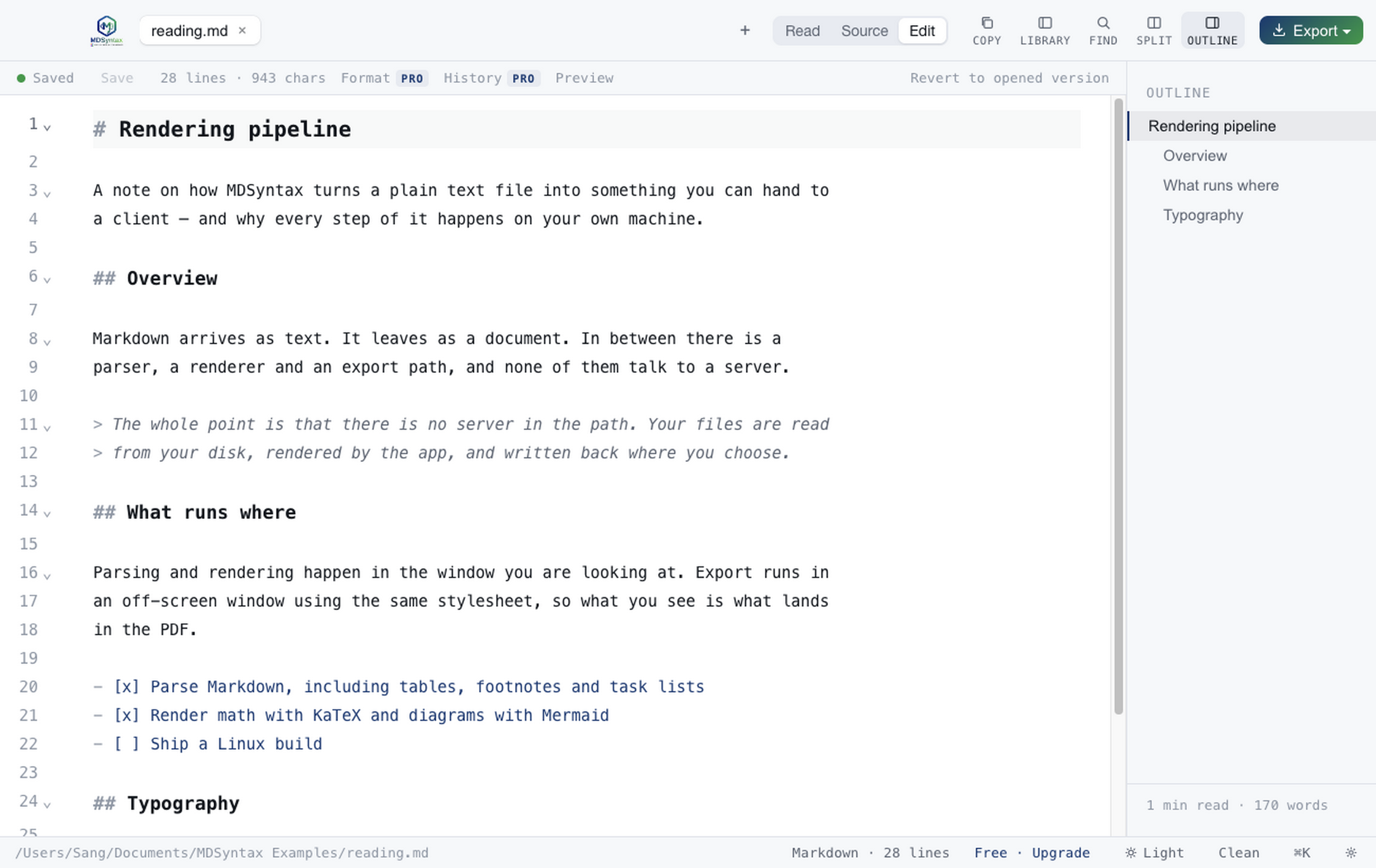
Undo history, multi-cursor, bracket matching and smart lists — with syntax highlighting for close to two hundred languages. Autosave writes a draft, never your file, so the document on disk is always the one you last chose to write. Lines you've edited stay shaded until you save.
- Nothing touches your file until you press Save
- Unsaved work survives a crash and is offered back
- Live preview beside the source, or off entirely
03 — Render & export
Markdown in. Something you can send out.
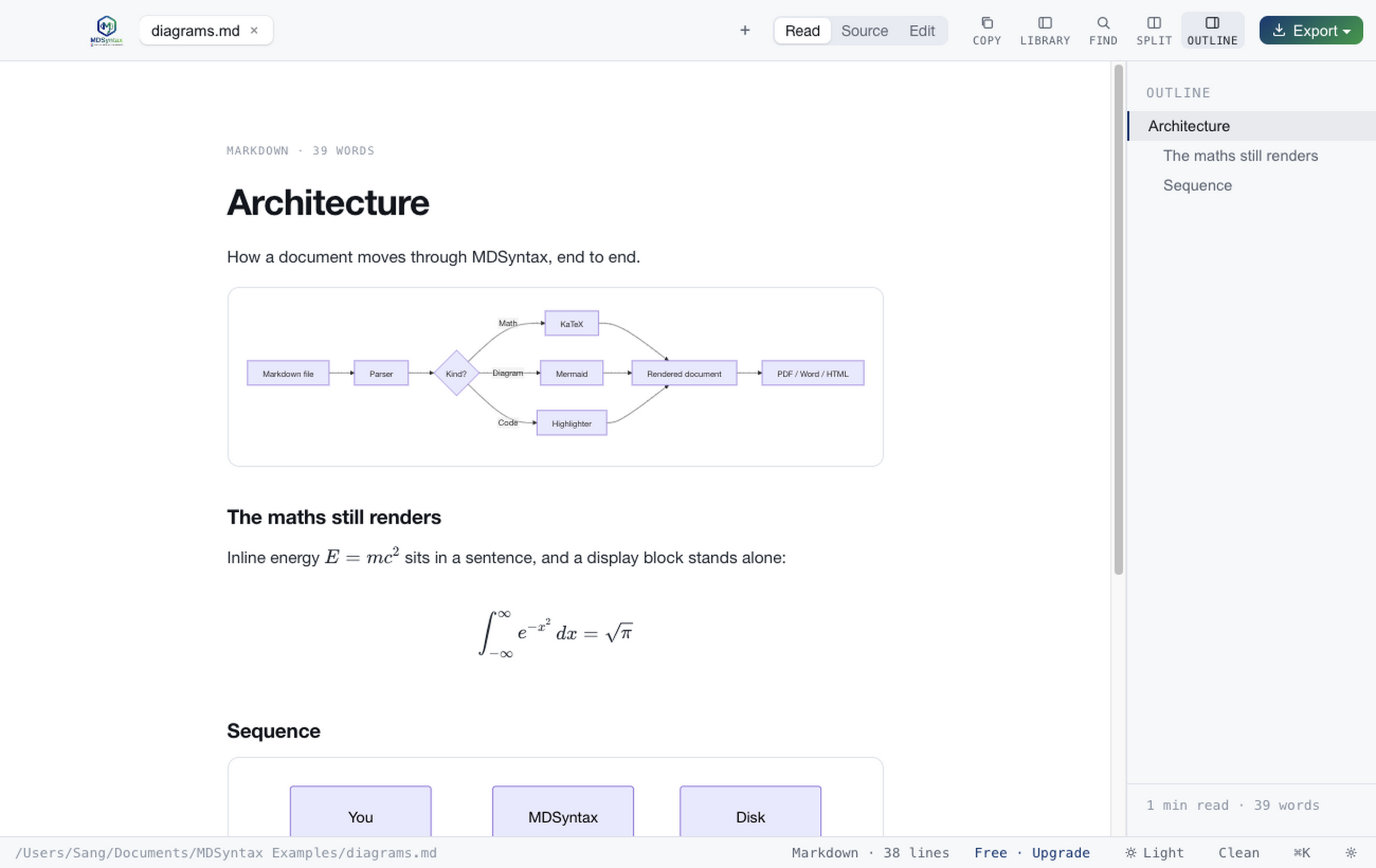
One menu, four destinations. Tables keep their column widths in Word. Math and diagrams survive into PDF because they're resolved before the page is laid out. HTML export is self-contained — it opens anywhere and survives being emailed.
- Letterhead and report templates with a cover page
- Batch export a whole folder in one pass
- Copy as rich text — keeps formatting on paste
⌘K
Command palette
Every open file, every heading, every command and your recents — one fuzzy field.
⌘F
Find & replace
This file, all open files, or the whole watched library, with a live match count.
LIB
Watched folders
Point it at a repo's docs directory and every file is one click away, always current.
GIT
Git panel
Status, diff, stage, commit and branch switching without leaving the document.
HIST
Version history
Snapshots on save, before a format and before a replace. Restore any of them.
FMT
Format document
Pads table cells to even columns, renumbers lists, fixes missing spaces after #.
Opens on double-click
Forty-odd file types, registered with the system.
Set MDSyntax as the handler once and every one of these opens where it belongs — with syntax highlighting in Source and Edit, and a rendered view wherever a rendered view makes sense.
Privacy by architecture
There is no server in the path.
Your documents are read from disk and rendered on your machine. MDSyntax has no account system, collects no analytics, and sends no telemetry. It makes exactly two kinds of outbound request, both of which you trigger: validating a licence key, and fetching a page when you ask it to open one from a URL.
- No analytics, telemetry or crash reporting
- No account — the app never asks who you are
- Documents are never transmitted anywhere
- Works fully offline, with a 30-day licence grace period
- HTML previews run in a sandboxed frame
Pricing
Reading is free. Pay once for the production tools.
Opening, reading, editing and plain export never expire and never nag. Pro is a one-time purchase covering three machines.
Free
$0
Forever, no account
- All reading views, themes and text sizes
- Editor, tabs, outline, split compare
- Mermaid, GraphViz, KaTeX, transcripts
- PDF, Word, HTML and rich-text export
- Find in the current document
- The Git panel — status, diff, commit
Pro
$29 once
Three machines, no subscription
- Everything in Free
- Export templates — letterhead, report, cover page
- Batch export a folder to PDF, Word or HTML
- Watched-folder library
- Version history and format document
- Find & replace across files and the library
14-day refund, no questions. Policy
Teams
Talk to us
Five seats minimum
- Everything in Pro, on every seat
- Volume licensing arranged directly
- Invoicing rather than card payment
Open the next file in something built for reading it.
macOS 12 Monterey or later · Windows 10 version 1809 or later